Authentication Detail
Authentication
Login with device
This is simplest way to login player to the game server. GameDrive sdk will automatic find device indentifier for you.
GameDrive.Authentication.LoginWithDevice((GameDrive.LoggedInPlayer playerInfo) =>
{
    //handle success
}, (GameDrive.ErrorSimple error) =>
{
    //handle error
});
Login with google
string googleClientId = "google project client id";
string googleIdToken = "google project id token";

GameDrive.Authentication.LoginWithGoogle(googleClientId, googleIdToken, (GameDrive.LoggedInPlayer playerInfo) =>
{
    //handle success
}, (GameDrive.ErrorSimple error) =>
{
    //handle error
});
Go find the googleClientId and googleIdToken you can getting started from google-signin-unity
Login with facebook
string facebookAccessToken = "facebook access token";

GameDrive.Authentication.LoginWithFacebook(facebookAccessToken, (GameDrive.LoggedInPlayer playerInfo) =>
{
    //handle success
}, (GameDrive.ErrorSimple error) =>
{
    //handle error
});
Go find the facebookAccessToken you can getting started from facebook SDK for Unity
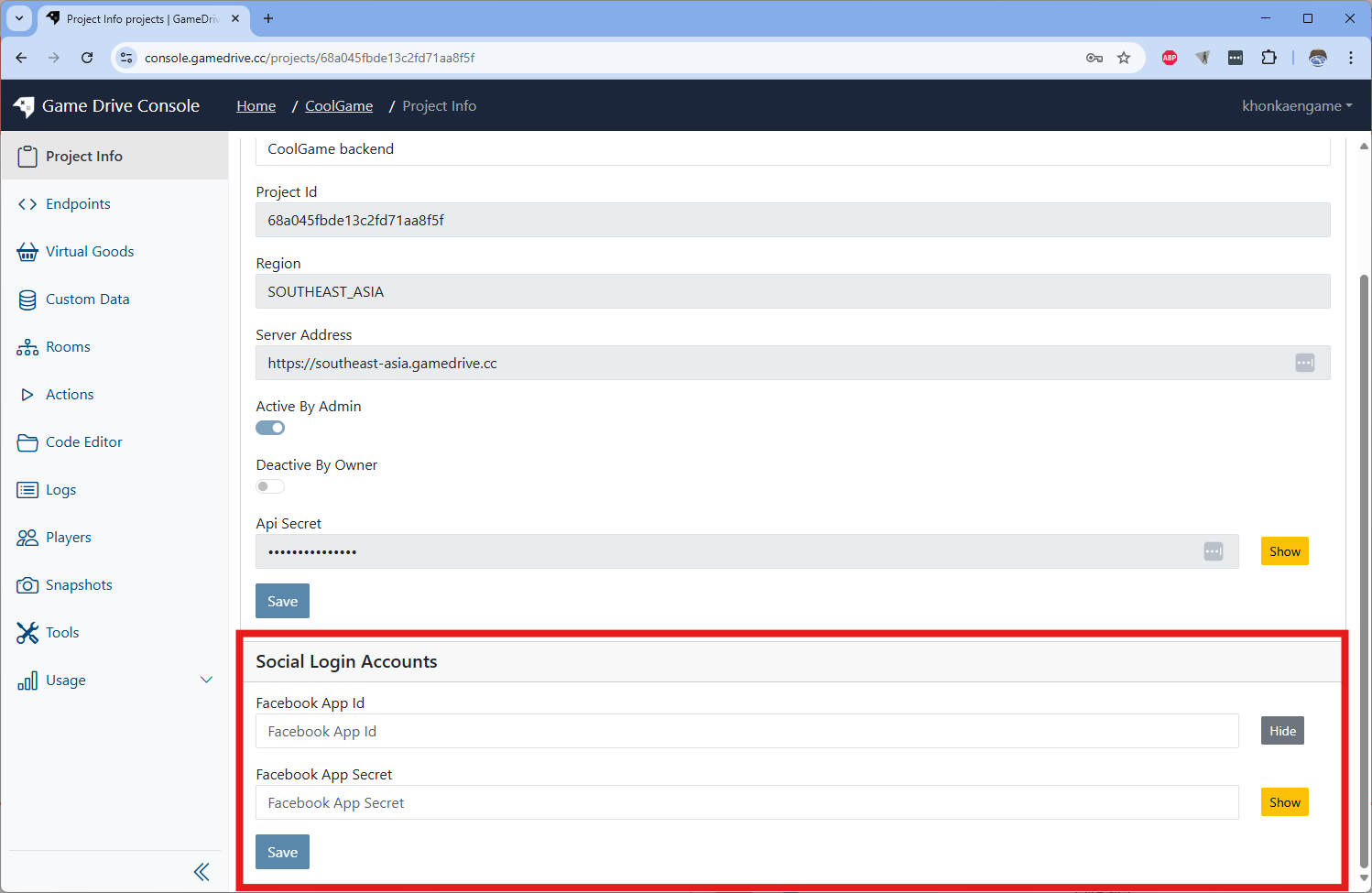
For facebook login, it required to set Facebook App Id and Faceboo App Secret on Project Info Page
Login machanism
- Login with Device by new device identifier will create new player account.
- If new device login to existing social bound account, the device indetifier will be bound to the existing account. So one social account can have multiple devices
Authorization
GameDrive uses an OAuth2-style access and refresh token mechanism for authorization
- Refresh Token will be expired in 7 days
- Access Token will be expired in 30 minuts
GameDrive's SDKs will auto rotate tokens for us.