Manage data of Custom Data
Basic of browsing data of Custom Data
Go to browse data page of Custom Data. Check this to see how to browse data
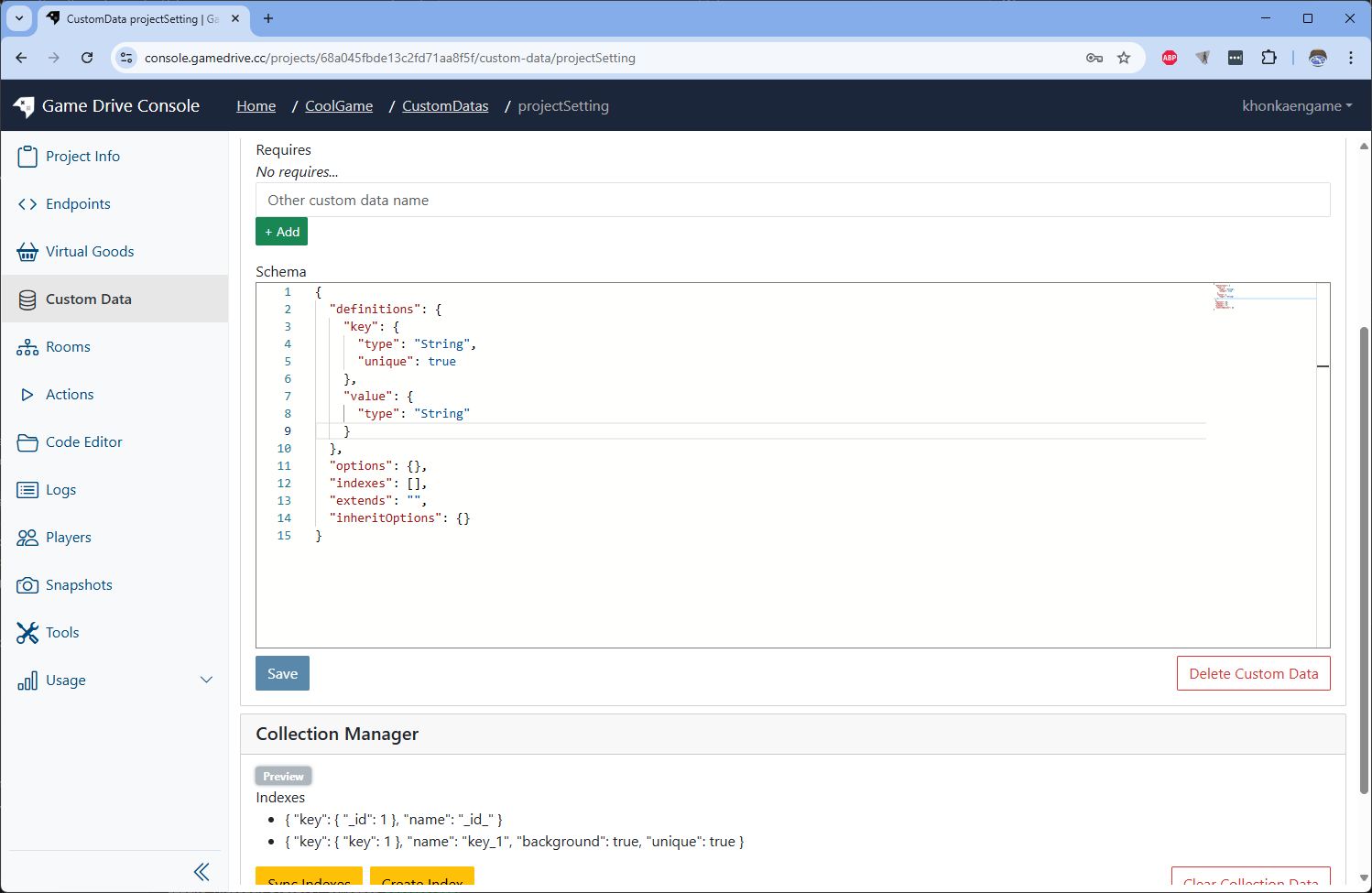
Create new Custom Data with this schema
{
  "definitions": {
    "key": {
      "type": "String",
      "unique": true
    },
    "value": {
      "type": "String"
    }
  },
  "options": {},
  "indexes": [],
  "extends": "",
  "inheritOptions": {}
}
Insert new documents
-
Press Query button to get the current data documents.
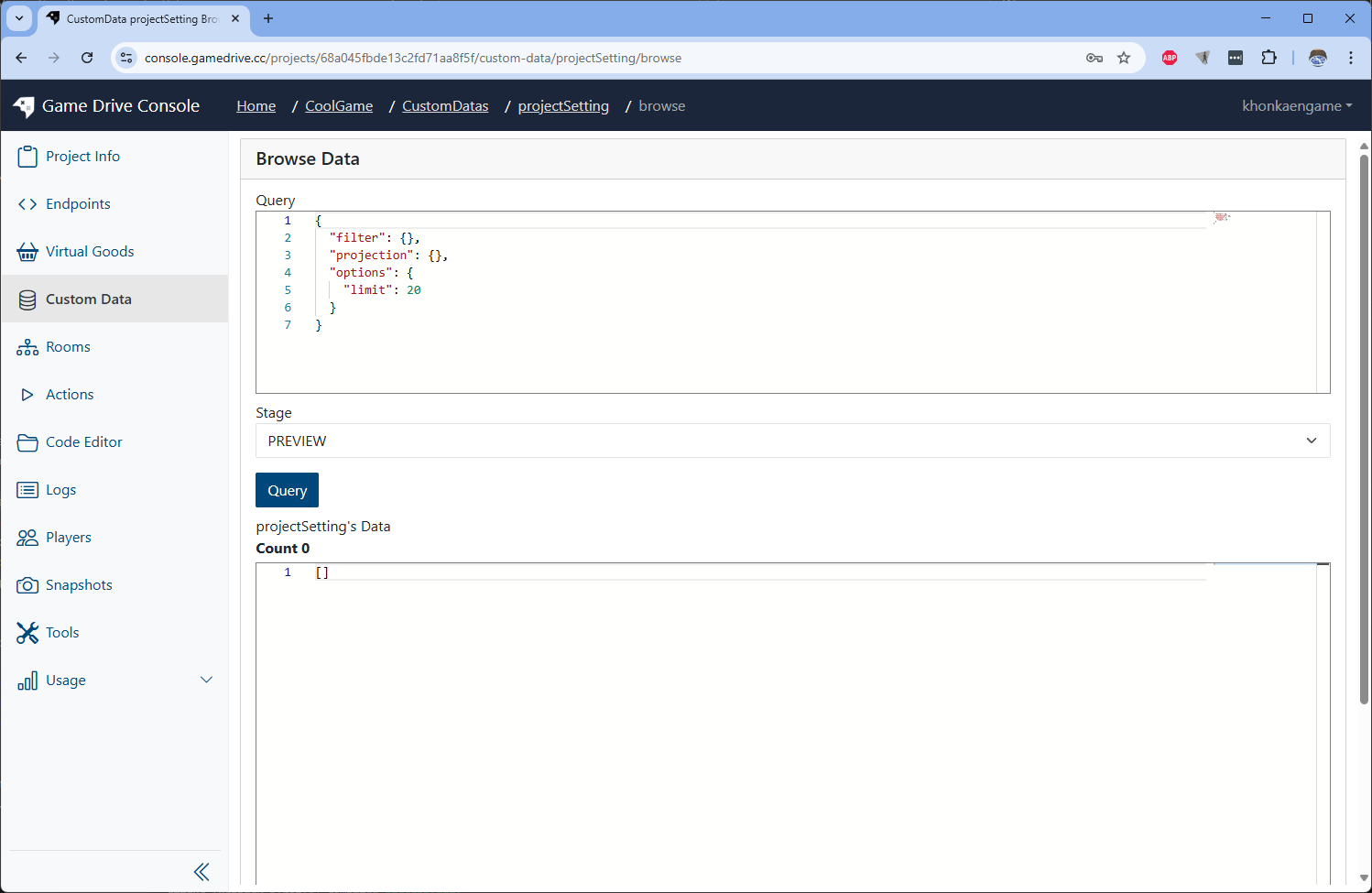 You will see empty array json object
 -
Add new json objects into the root array.
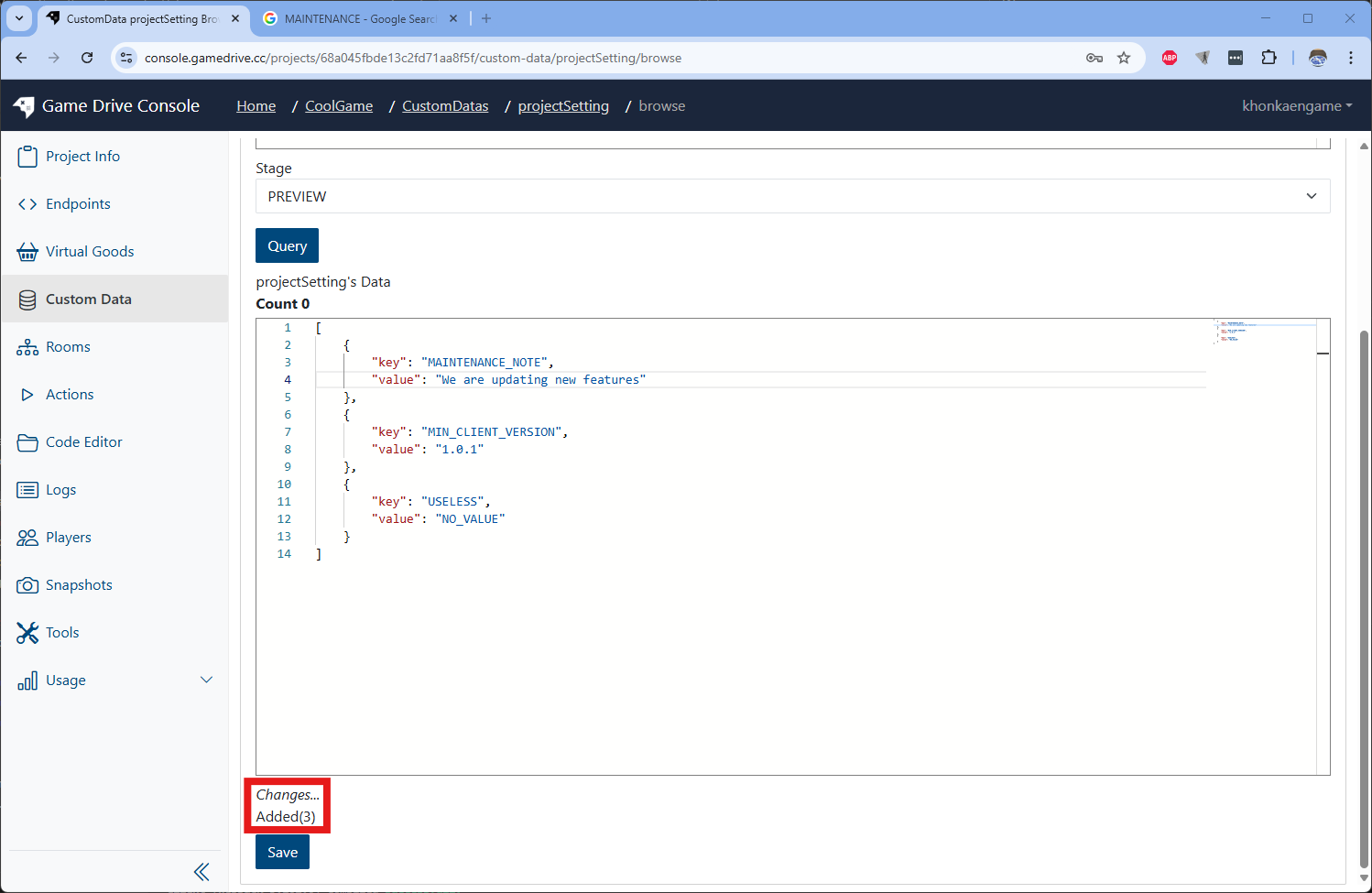 Notice: the text Changes... Added(3) will show up.
 -
Press Save button. It will result the new documents with _id field.
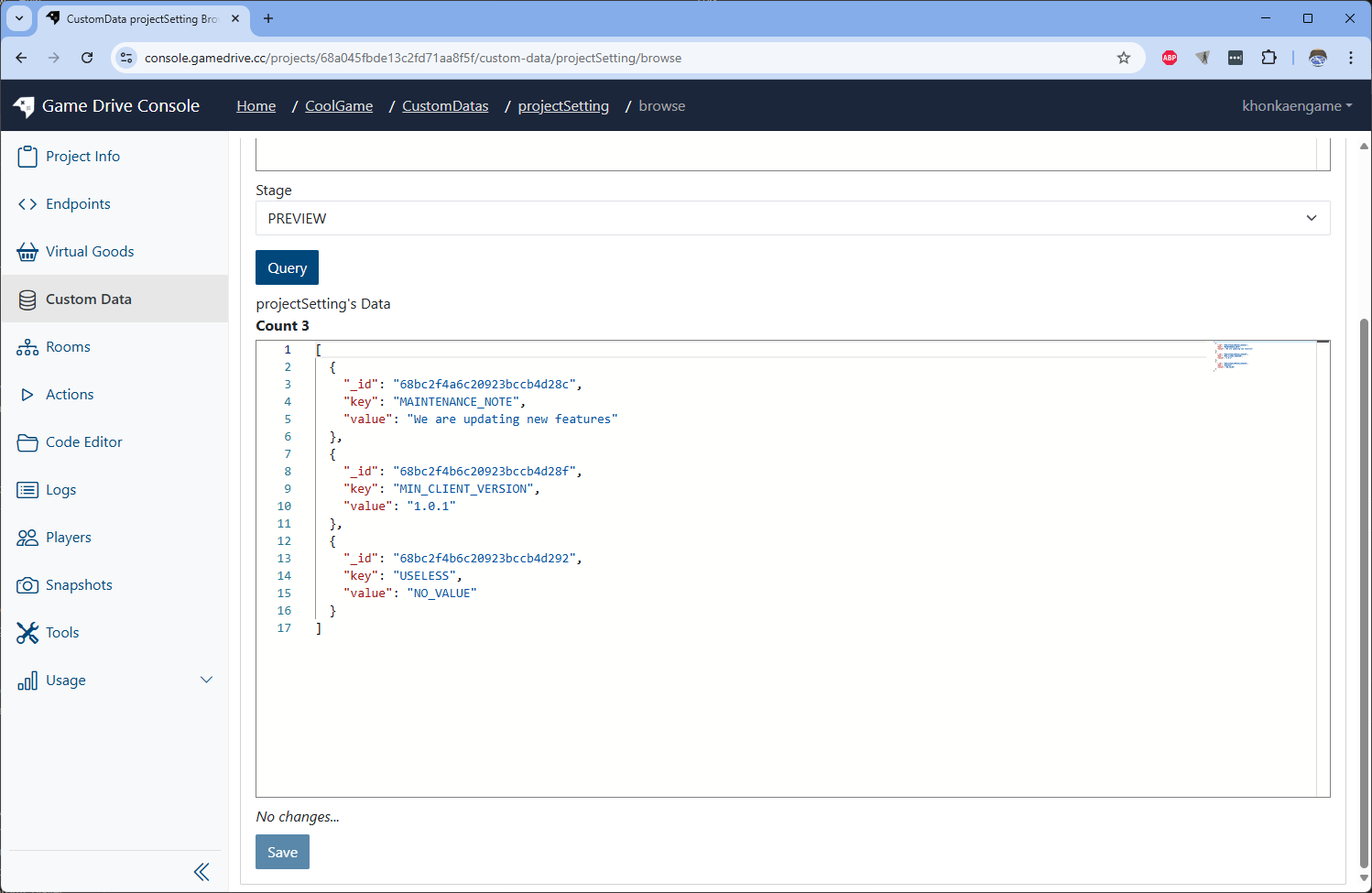
Update documents
-
Edit some field values of document.
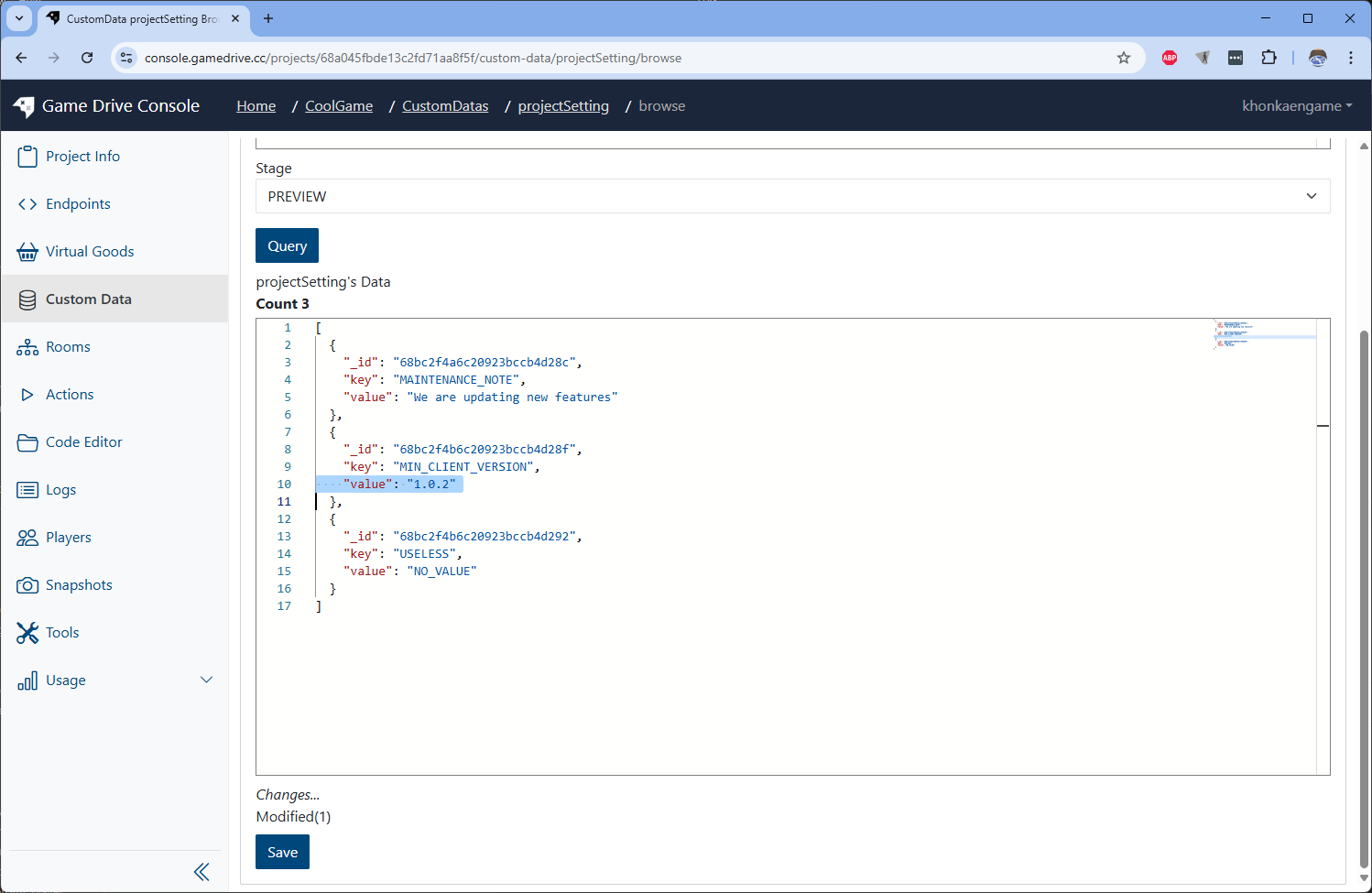 The text Changes.. Modified(1) will show up.
 -
Press Save button and result will be updated
Delete documents
-
Delete the document from root array. will not tice action text delete
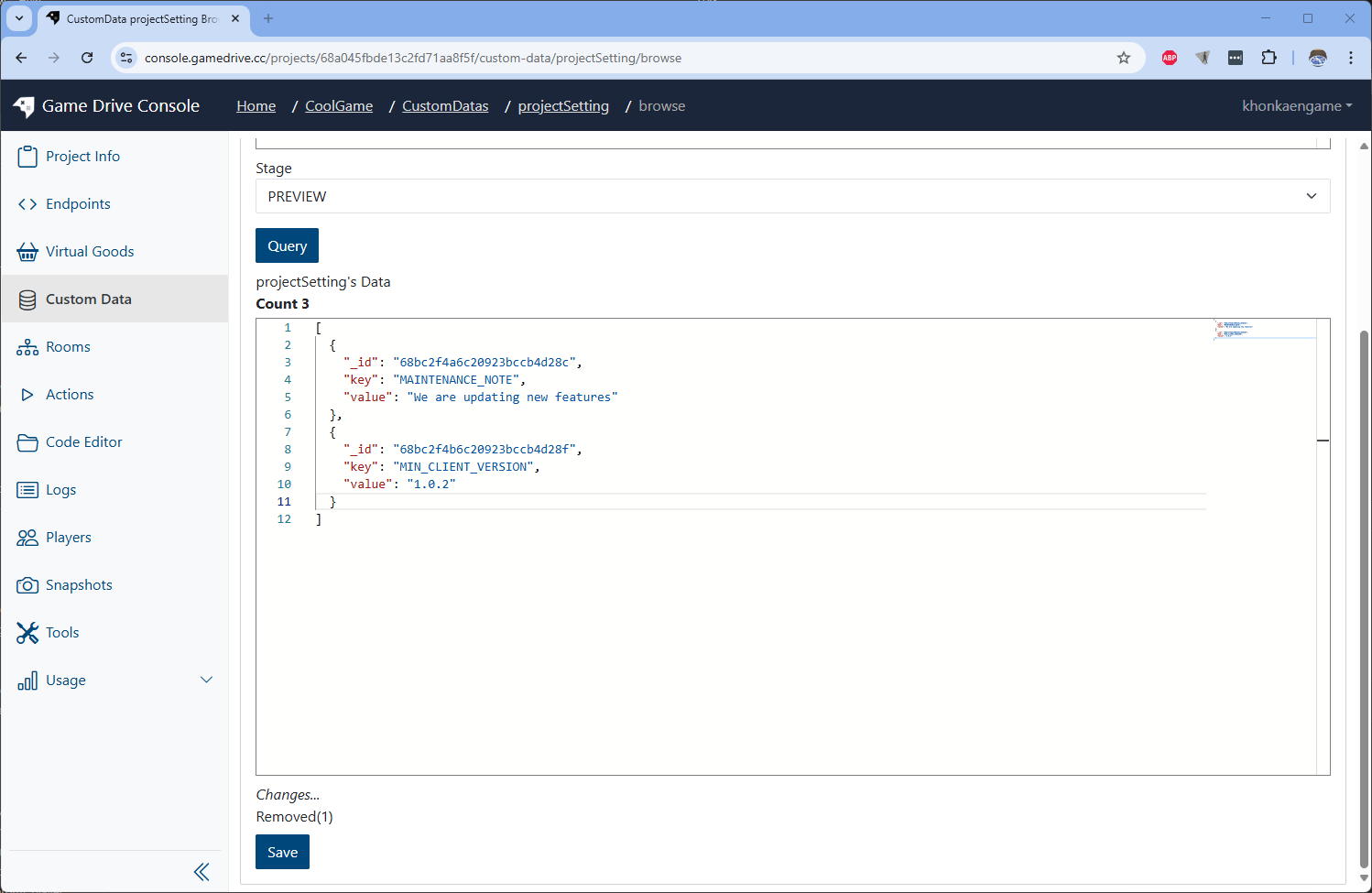 The text Changes.. Removed(1) will show up.
 -
Press Save button and the data will be removed
Browse data by condition
-
Write condition and press Query button.
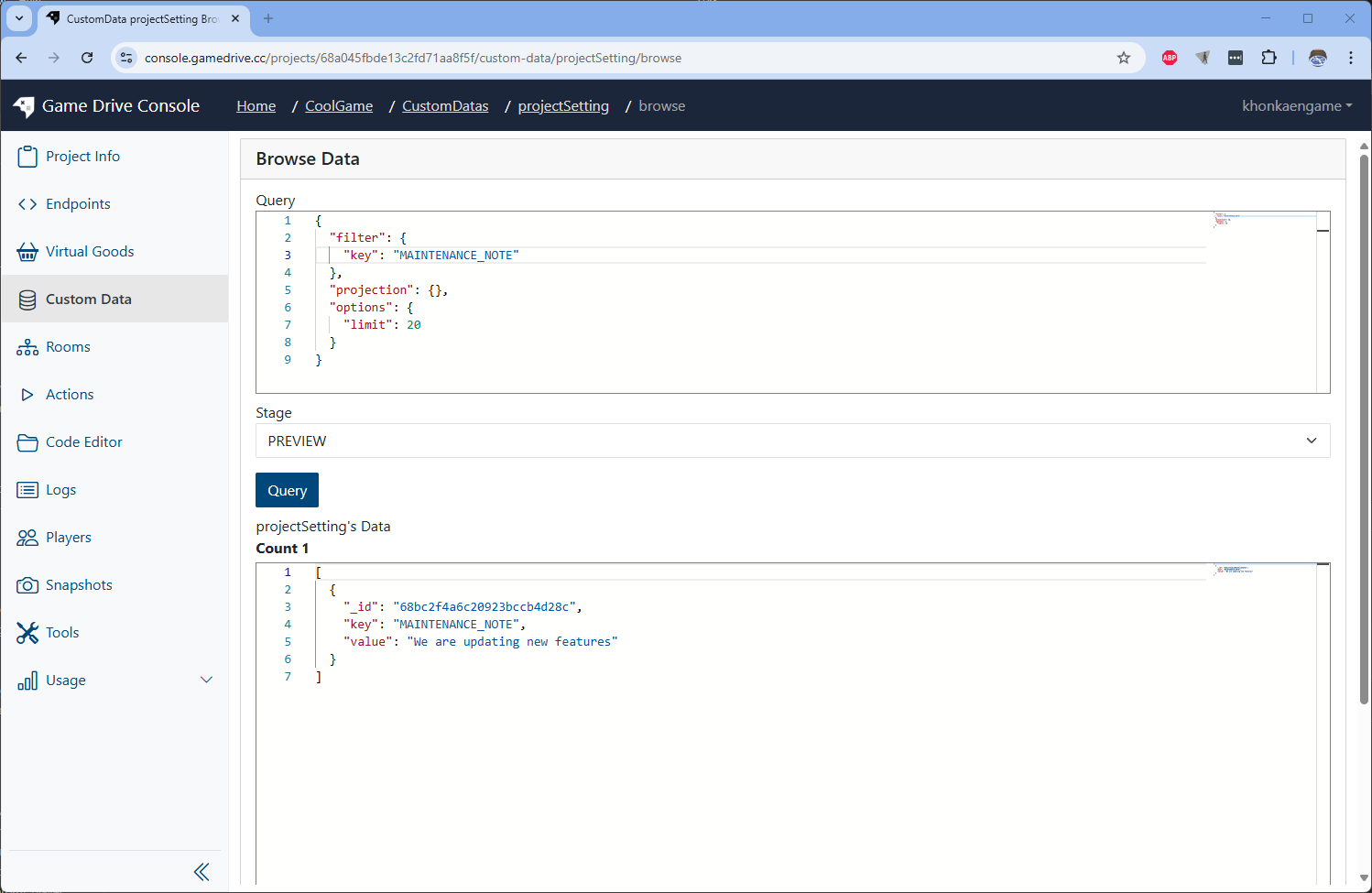 Only documents matched to the condition will be showed.
 -
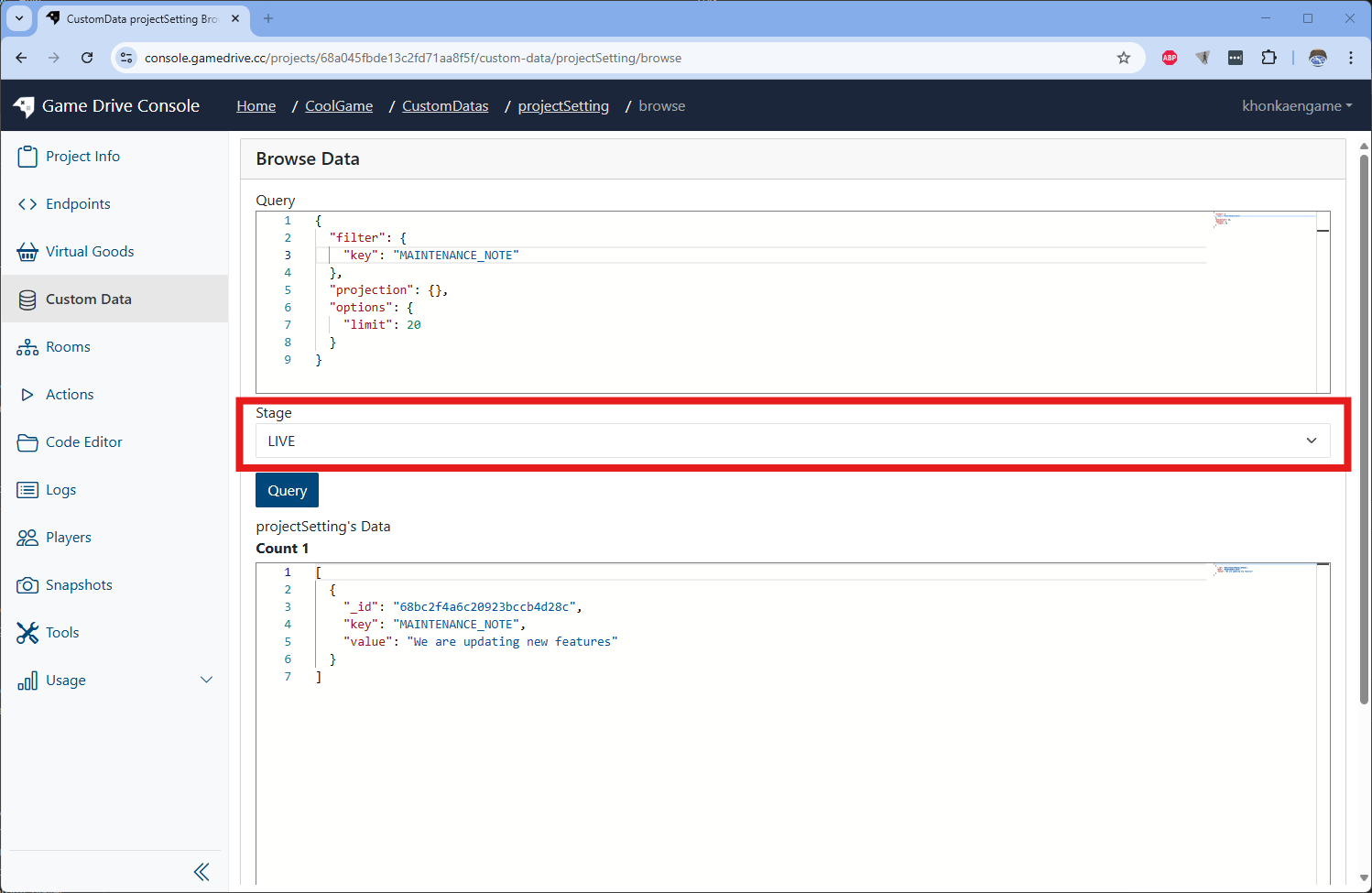
Good to know, we can change environment stage to LIVE.